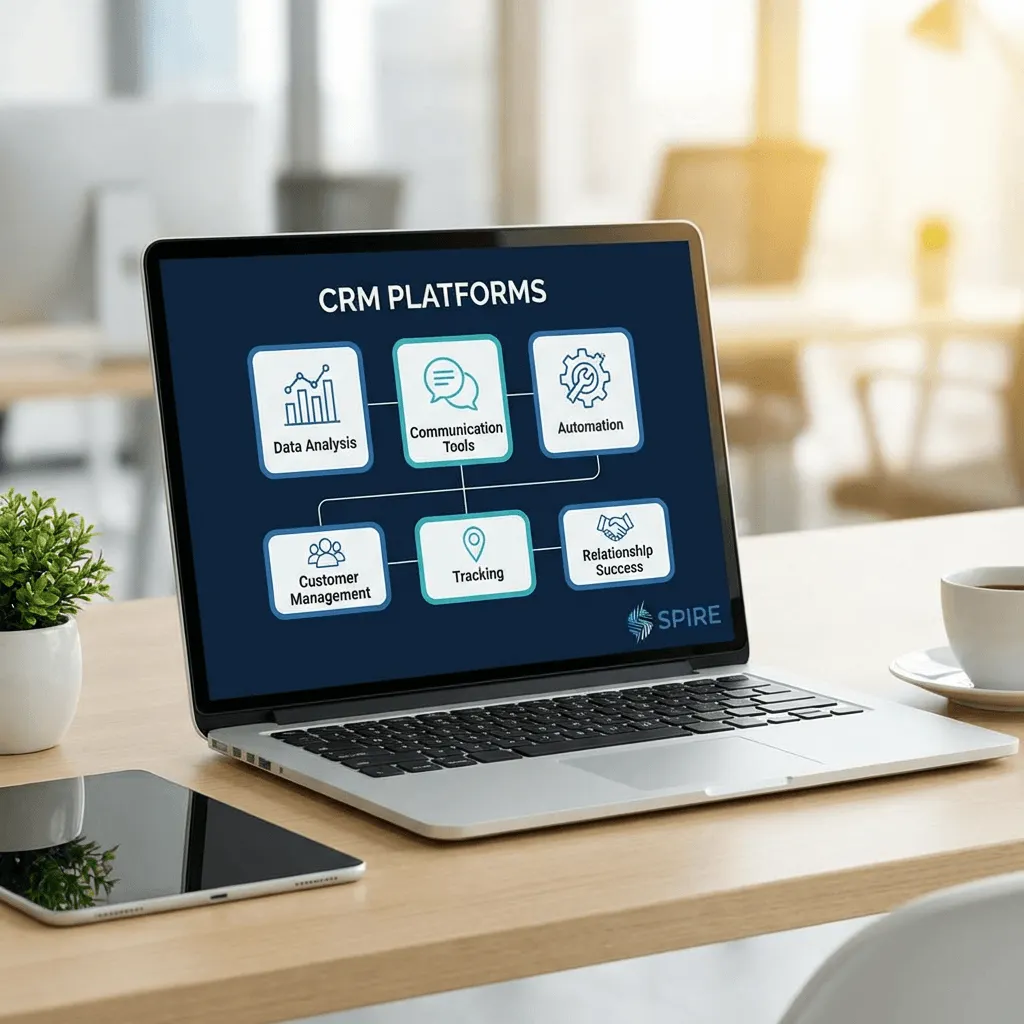
PipeLeads CRM Review 2026: Visual Pipeline Customer Relationship Management
PipeLeads CRM Review 2026: Visual Pipeline Customer Relationship Management
Oct 27, 2025
Part of the ScalePlus Suite of 33+ Tools
The Client Management Challenge
Service-based businesses live or die by client relationships. Coaches with 50 active clients, consultants juggling 20 simultaneous projects, agencies managing 30 accounts, freelancers balancing 15 ongoing engagements, all face the same challenge: staying organized while nothing falls through the cracks.
Spreadsheets break down at scale. Email inboxes become black holes where opportunities disappear. Memory fails when you're managing dozens of relationships simultaneously. Sticky notes and notebooks don't scale.
The result? Missed follow-ups costing thousands in lost deals. Forgotten commitments damaging client relationships. Opportunities slipping away because you didn't know when to reach out. Revenue left on the table because you can't see your entire pipeline at once.
Traditional CRM platforms offer solutions but create new problems. Salesforce ($25-300+/month per user) is enterprise-powerful but overwhelmingly complex for small businesses. HubSpot ($45-3,600+/month) locks essential features behind expensive tiers. Pipedrive ($14-99/month per user) is approachable but adds another subscription to your already bloated software stack.
Most CRMs are designed for sales teams with rigid processes. Service businesses need flexibility, managing both prospects AND active clients, tracking projects AND sales opportunities, handling deliverables AND relationship nurturing.
PipeLeads CRM addresses these challenges, it's a visual pipeline customer relationship management platform designed specifically for service-based businesses, included in the ScalePlus suite from Scale.gg.
Read the full Scale.gg review here.
Built for coaches, consultants, agencies, and freelancers who need to manage the complete client lifecycle from first contact through active engagement without CRM complexity or additional subscriptions.
In this comprehensive review, I'll explore what PipeLeads CRM offers, how it compares to Pipedrive and HubSpot, who should use it, and how it integrates with the Groove ecosystem for complete automated client management. Plus, I'll explain how TinyEmail enhances client communication and relationship building.
What Is PipeLeads CRM?
PipeLeads CRM is a visual pipeline management system that tracks prospects, clients, deals, and relationships through customizable stages using an intuitive board-style interface inspired by Pipedrive's visual approach.
Core Philosophy: Visual Simplicity for Service Businesses
Unlike enterprise CRMs requiring extensive configuration and training, PipeLeads focuses on visual clarity, see your entire pipeline at a glance, understand exactly where every opportunity stands, and know precisely what action to take next.
The platform prioritizes three objectives:
- Visual organization: Never lose track of opportunities or relationships
- Action clarity: Always know what needs doing and when
- Relationship context: Maintain complete history of every interaction
Core Features: What PipeLeads CRM Can Do
Visual Pipeline Management
Kanban-Style Board: See your entire sales or client pipeline as cards moving through stages on a visual board. Each card represents a prospect, deal, or client relationship.
Customizable Stages: Define stages matching your process—"Initial Contact," "Discovery Call Scheduled," "Proposal Sent," "Negotiation," "Closed Won," "Active Client," "Project Delivery." Create unlimited pipelines for different business functions.
Drag-and-Drop Movement: Move opportunities through stages with simple drag-and-drop. Visual progression shows momentum and identifies stalled deals instantly.
Multiple Pipelines: Separate pipelines for sales opportunities, client onboarding, project delivery, or different service lines. Switch between views understanding each business function.
Color Coding: Assign colors to deals based on priority, value, or status. Visual indicators help prioritize attention and identify patterns.
Pipeline Views: Board view for visual management, list view for detailed analysis, calendar view for time-based planning. Choose the perspective matching your current need.
Contact and Company Management
Centralized Database: Store complete information about prospects, clients, and companies including contact details, company information, social profiles, custom fields, tags, and notes.
Contact History: Complete timeline of every interaction, calls, emails, meetings, notes, deals—providing full relationship context whenever you engage.
Custom Fields: Add fields specific to your business, industry, company size, budget, decision timeline, pain points, preferences. Capture what matters for your service delivery.
Tagging System: Apply multiple tags for flexible organization and filtering. Tag contacts by source, interest, readiness, or any characteristic relevant to your business.
Relationship Mapping: Connect contacts to companies, and companies to deals, maintaining relationship clarity across complex organizational structures.
Duplicate Detection: Automatically identifies potential duplicate contacts preventing database clutter and confusion.
Deal and Opportunity Tracking
Deal Cards: Each opportunity tracked with detailed information including deal value, expected close date, probability percentage, associated contacts, activities, notes, and custom fields.
Revenue Forecasting: See total pipeline value, weighted forecasts based on probability, and expected revenue by time period informing financial planning.
Deal Stages: Track precisely where each opportunity stands in your sales process identifying bottlenecks and optimizing conversion.
Win/Loss Analysis: Record reasons for won or lost deals identifying patterns to improve future success rates.
Deal Rotation: Automatically reassign deals ensuring balanced workload for teams or preventing opportunities from aging without attention.
Activity Association: Link emails, calls, meetings, and notes directly to deals maintaining complete context.
Activity Management and Task Tracking
Activity Logging: Record every interaction, calls, emails, meetings, and notes, creating comprehensive relationship history.
Task Management: Create follow-up tasks with due dates, priorities, and assignments. Never miss critical follow-ups or commitments.
Activity Scheduling: Schedule future calls, meetings, or follow-ups directly from contact or deal records.
Reminders and Notifications: Automated reminders ensure timely follow-up on commitments and opportunities.
Activity Timeline: Chronological view of all activities related to contacts or deals providing instant context before engagements.
Team Collaboration: For agencies or teams, see what colleagues have done and said, preventing duplicate outreach or conflicting messages.
Email Integration and Tracking
Email Sync: Connect email accounts syncing conversations with contact records automatically.
Email Templates: Create reusable email templates for common communications, introduction emails, follow-ups, proposals, check-ins and ensuring consistency and saving time.
Email Tracking: Monitor email opens, clicks, and replies understanding engagement levels and timing follow-ups appropriately.
Bulk Email: Send personalized emails to multiple contacts simultaneously for announcements, newsletters, or campaign outreach.
Email Association: Emails automatically associate with relevant contacts and deals maintaining communication history.
Reporting and Analytics
Pipeline Reports: Visualize pipeline health, conversion rates by stage, average deal size, sales cycle length, and bottleneck identification.
Activity Reports: Monitor outreach volume, response rates, meeting frequency, and team productivity ensuring consistent engagement.
Revenue Reports: Track closed revenue, forecasted revenue, win rates, and revenue by source understanding business health.
Custom Reports: Build reports specific to your business needs filtering by date ranges, stages, tags, or custom fields.
Performance Tracking: For teams, monitor individual and team performance identifying top performers and areas needing improvement.
Integration with ScalePlus Ecosystem
CallenderBug Connection: When prospects book appointments through CallenderBug, they automatically appear in PipeLeads CRM with appointment details and context.
Invoicer.gg Integration: Send proposals and invoices directly from PipeLeads. When invoices are paid, deal status updates automatically.
DocSigner Coordination: Send contracts from PipeLeads for signature. Signed contracts trigger deal progression or status changes.
GrooveMail Automation: Add contacts to email sequences based on pipeline stage. Trigger campaigns when deals move to specific stages or when tasks become due.
GrooveSell Tracking: Purchases through GrooveSell create or update CRM records with complete transaction history.
GrooveFunnels Data: Funnel behavior flows into CRM showing prospect engagement before sales conversations begin.
This integration means your CRM isn't isolated, it's the relationship hub of your entire automated business system.
Who Should Use PipeLeads CRM?
Perfect For:
Consultants and Coaches: Manage discovery calls, proposal follow-ups, client onboarding, and active engagements through visual pipelines.
Marketing Agencies: Track prospect outreach, proposal stages, client projects, and relationship health across dozens of simultaneous accounts.
Freelancers: Balance multiple ongoing projects, track new opportunity development, and manage client relationships without complexity.
Service Businesses: Any business selling services rather than products benefits from relationship tracking through the complete client lifecycle.
B2B Sales: Longer sales cycles with multiple touchpoints require organized tracking that PipeLeads provides without enterprise complexity.
Small Teams: 2-10 person teams need shared visibility into opportunities and relationships without Salesforce complexity or cost.
Less Ideal For:
Large Enterprise Sales Teams: Organizations with 50+ sales reps need enterprise CRM features, extensive customization, and advanced automation PipeLeads may not provide.
Complex Hierarchical Sales: Multi-level approval workflows, territory management, and sophisticated sales operations require specialized enterprise CRMs.
Product-Only Businesses: Companies selling products without service components may not need relationship-focused CRM depth.
Businesses Happy with Current CRM: Teams deeply invested in Salesforce, HubSpot, or other platforms with extensive customization may not benefit from switching.
PipeLeads CRM vs. Competitors
PipeLeads CRM vs. Pipedrive
Pipedrive ($14-99/month per user = $168-1,188/year per user) pioneered visual pipeline CRM.
PipeLeads advantages:
- Lower Cost: Included in ScalePlus ($994-1,196/year for everything) vs. $168-1,188 per user annually
- Broader Platform: Get 17+ business tools beyond CRM
- Native Integration: Seamless connection to complete business ecosystem
- No Per-User Fees: Teams don't pay incrementally as they grow
Pipedrive advantages:
- More Mature: Longer development with refined features
- Extensive Integrations: Connects to hundreds of third-party tools
- Advanced Automation: More sophisticated workflow automation
- Large User Base: Extensive community and resources
Verdict: Pipedrive wins on maturity and third-party integrations. PipeLeads wins dramatically on value within complete platform—comparable core functionality at fraction of cost.
PipeLeads CRM vs. HubSpot CRM
HubSpot CRM (Free with limitations; Sales Hub $45-3,600/month) is popular for inbound marketing.
PipeLeads advantages:
- Much Lower Cost: Essential features included in ScalePlus vs. $540-43,200/year for Sales Hub
- Simpler Learning Curve: Focused CRM without overwhelming marketing automation complexity
- Complete Platform: Entire business ecosystem included
- No Feature Paywalls: Core functionality available without tiered restrictions
HubSpot advantages:
- Marketing Automation: Deep email marketing and automation (though ScalePlus has GrooveMail)
- Free Tier: Start with basic CRM at $0
- Extensive Features: More comprehensive feature set for larger operations
- Strong Ecosystem: Large marketplace and integration options
Verdict: HubSpot wins on feature breadth and free entry. PipeLeads wins on cost for growing businesses and integration with complete business platform.
PipeLeads CRM vs. Salesforce
Salesforce ($25-300+/month per user = $300-3,600+/year per user) is the enterprise CRM leader.
PipeLeads advantages:
- Dramatically Lower Cost: Entire ScalePlus suite costs less than single Salesforce user
- Much Simpler: No extensive training or configuration required
- Faster Implementation: Working in hours vs. weeks of Salesforce setup
- Service Business Focus: Designed for service businesses vs. general sales
Salesforce advantages:
- Ultimate Customization: Infinite flexibility and configuration
- Enterprise Features: Advanced automation, AI, complex reporting
- Massive Ecosystem: Thousands of integrations and extensions
- Scalability: Handles organizations with thousands of users
Verdict: Salesforce wins for enterprises needing extensive customization. PipeLeads wins for small-to-medium service businesses wanting simplicity and value.
Enhancing Client Relationships with TinyEmail
CRM manages relationships, but communication builds them. Strategic, consistent client communication differentiates good service businesses from great ones.
Why Client Communication Matters
Regular Check-Ins: Proactive outreach to clients strengthens relationships and identifies issues before they become problems.
Value-Added Content: Sharing insights, tips, or resources positions you as ongoing partner rather than transactional vendor.
Milestone Celebrations: Acknowledging client wins, anniversaries, or achievements deepens emotional connection.
Reactivation Campaigns: Past clients who went dormant represent warm leads for re-engagement with new services or offerings.
Referral Requests: Satisfied clients are your best marketing channel when systematically asked for introductions.
Newsletter Updates: Keeping clients informed about your business, new services, or insights maintains top-of-mind awareness.
The TinyEmail Advantage
ScalePlus members get special TinyEmail pricing: 200,000 emails per month for just $14.97.
Application to CRM communication:
Large Client Base: 500 active clients receiving monthly newsletters plus quarterly service updates = 8,000 emails monthly minimum. Add prospect nurture campaigns and volume grows. TinyEmail handles affordably.
Segmented Outreach: Different client segments receive different communications. Active clients get value-add content. Dormant clients get reactivation campaigns. Prospects get nurture sequences. Segmentation multiplies volume—TinyEmail provides capacity.
Automated Nurture: Every new CRM contact triggers multi-email nurture sequence. With 200 new contacts monthly, that's 1,000-1,500 nurture emails monthly depending on sequence length. Scale to 500 new contacts = 2,500-3,750 monthly. TinyEmail absorbs easily.
Milestone Campaigns: Anniversary emails, win celebrations, or check-ins based on CRM data. Each client milestone = personalized email. For 500 clients with quarterly milestones, that's 500+ milestone emails quarterly. TinyEmail's 200K allocation covers sophisticated relationship marketing.
Recommended CRM + Email Strategy
Use GrooveMail for:
- Automated sequences triggered by CRM pipeline changes
- Individual follow-up communications
- Task-based reminders and notifications
- Behavioral triggers from website or funnel activity
Use TinyEmail for:
- Monthly client newsletters to entire base
- Broadcast announcements and updates
- Segmented campaigns to large client groups
- Scaling communication as client base grows
CRM Integration Strategy:
- Tag contacts in PipeLeads based on interests, industries, or engagement
- Export segments for targeted campaigns through TinyEmail
- Track email engagement feeding back into CRM notes
- Use combination for complete relationship management
Combined power: PipeLeads organizes relationships and tracks interactions; GrooveMail handles automated triggers; TinyEmail handles broadcast relationship building. Together they create complete client relationship systems.
Pricing: What Does PipeLeads CRM Cost?
PipeLeads CRM is included in ScalePlus, not sold separately.
ScalePlus Pricing:
- Quarterly: $299 every 3 months ($1,196/year)
- Semi-Annual: $497 every 6 months ($994/year)
This includes PipeLeads CRM plus 17+ other tools: GroovePages, GrooveFunnels, GrooveMail, GrooveSell, GrooveMember, Courses.gg, ClickCampaigns.ai, and more.
Add TinyEmail (recommended for client communication): $14.97/month ($179.64/year)
Total cost with TinyEmail: $1,173-1,375/year for complete CRM, business ecosystem, and client communication capacity.
Value comparison:
- Pipedrive (3 users): $504-3,564/year
- HubSpot Sales Hub (3 users): $1,620-10,800+/year
- Salesforce (3 users): $900-10,800+/year
PipeLeads provides visual pipeline CRM within complete business platform at fraction of standalone CRM costs.
Limitations to Consider
Newer Platform: Less mature than Pipedrive or HubSpot with 10+ years development. Some advanced features still developing.
Fewer Third-Party Integrations: Works best within Groove ecosystem. Fewer connections to external tools than established CRMs.
Limited Enterprise Features: Not suitable for complex sales organizations needing advanced automation, territory management, or extensive customization.
No Standalone Option: Cannot purchase separately; requires ScalePlus subscription.
Learning Curve: While simpler than Salesforce, still requires time investment to master features and optimize workflows.
Getting Started with PipeLeads CRM
Step 1: Subscribe to ScalePlus at Scale.gg
Step 2: Access PipeLeads CRM from dashboard
Step 3: Configure pipeline stages matching your process
Step 4: Import existing contacts or start fresh
Step 5: Create deal cards for active opportunities
Step 6: Log activities and set follow-up tasks
Step 7: Connect CallenderBug for automatic appointment syncing
Step 8: Integrate Invoicer.gg for proposal tracking
Step 9: Set up GrooveMail triggers for pipeline stage changes
Step 10: Train team on visual pipeline management
Step 11 (Optional): Add TinyEmail for client communication campaigns
Most businesses are actively using CRM within days, with full optimization taking 2-4 weeks as workflows establish.
Final Verdict: Is PipeLeads CRM Worth It?
PipeLeads CRM delivers visual pipeline management designed specifically for service businesses without standalone CRM subscription costs, ideal for consultants, coaches, agencies, and freelancers managing client relationships.
Rating: 4/5 Stars
Strengths:
- ✅ Visual pipeline board for instant clarity
- ✅ Customizable stages and pipelines
- ✅ Complete contact and company management
- ✅ Deal tracking with revenue forecasting
- ✅ Activity logging and task management
- ✅ Email integration and tracking
- ✅ Native ecosystem integration (scheduling, invoicing, contracts)
- ✅ Included in ScalePlus suite
- ✅ TinyEmail partnership for client communication
- ✅ No per-user fees as team grows
Weaknesses:
- ⚠️ Newer platform still maturing
- ⚠️ Fewer third-party integrations than Pipedrive
- ⚠️ Limited enterprise features
- ⚠️ Not suitable for complex sales organizations
- ⚠️ Requires ScalePlus subscription (no standalone option)
Recommended for: Consultants, coaches, marketing agencies, freelancers, service businesses, B2B sales, small teams managing client relationships and sales opportunities.
Not recommended for: Large enterprise sales teams, complex hierarchical sales organizations, product-only businesses, or those deeply invested in current enterprise CRMs.
Bottom line: If you're paying $200-1,000+/month for Pipedrive, HubSpot, or Salesforce, PipeLeads as part of ScalePlus provides visual pipeline CRM for dramatically less cost within complete business platform.
The platform won't replace Salesforce for enterprises, but for service businesses where relationship management is critical—consultants tracking 20-50 opportunities, coaches managing 30-100 clients, agencies coordinating 15-40 accounts—PipeLeads delivers exactly what's needed without CRM complexity or premium pricing.
The TinyEmail partnership enables sophisticated client communication scaling as your business grows, creating complete relationship management systems combining organization (CRM), automation (GrooveMail), and broadcast engagement (TinyEmail).
Ready to organize client relationships without expensive CRM subscriptions? PipeLeads CRM as part of ScalePlus might be exactly what your service business needs.
* * *
Disclaimer: This review is based on available information about PipeLeads.ai CRM and ScalePlus. Platform features, pricing, and capabilities may evolve. Verify current details at Scale.gg before purchasing. This review may contain affiliate links, meaning we may earn a commission if you subscribe through our links at no additional cost to you.