
CalendarBug Review 2026: Professional Appointment Scheduling That Actually Works
CalendarBug Review 2026: Professional Appointment Scheduling That Actually Works
Jan 07, 2026
Part of the ScalePlus Suite of 33+ Tools
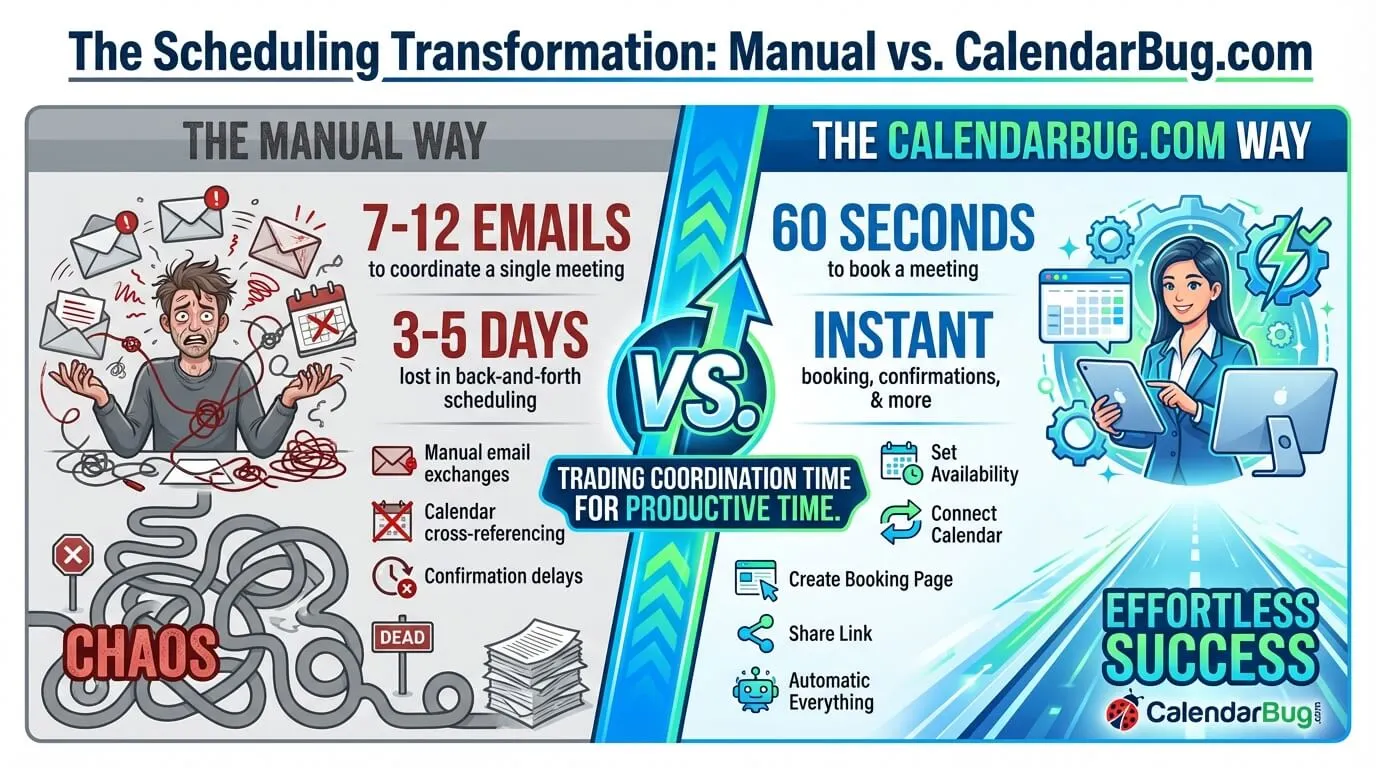
The Scheduling Email Hell
"What time works for you?" "I'm available Tuesday or Thursday." "Tuesday doesn't work for me, how about Wednesday at 2pm?" "Wednesday I'm in meetings until 3pm, could we do 3:30?" "Actually, let me check my calendar..." Sound familiar?
The back-and-forth scheduling dance wastes an average of 7-12 emails per meeting scheduled. For consultants, coaches, sales professionals, and service providers booking 10-20 meetings weekly, that's 70-240 emails monthly just playing scheduling tag. At 3 minutes per email, you're burning 3.5-12 hours monthly, $175-600 in lost time at $50/hour.
Worse, scheduling friction costs you business. Studies show 40% of potential meetings never happen due to scheduling complexity. Prospects lose interest, momentum dies, opportunities evaporate, all because coordinating calendars felt like too much work.
Traditional solutions don't fully solve this. Shared calendar links expose your entire schedule (privacy concern). Free tools lack professional features. Enterprise platforms cost $12-20+ per user monthly. And none integrate seamlessly with your CRM to track meeting outcomes.
Thats where CalendarBug.com comes in, a professional appointment scheduling platform included in the ScalePlus suite from Scale.gg. It provides customizable booking pages, calendar synchronisation, automated reminders, time zone intelligence, payment collection, and native CRM integration, all for $994-$1,196 annually (which includes CRM, email marketing, and many other tools), compared to $144-$240+ per year for Calendly alone.
Get CalendarBug.com with ScalePlus
But before we explore whether it's the right scheduling solution for your business, let's understand exactly what makes traditional appointment booking so painful...
The Traditional Scheduling Problems
Email Back-and-Forth: 7-12 emails per meeting. 3-5 days to find mutual availability. Prospects forget or lose interest. Time zones cause confusion. Double-bookings happen when the calendar isn't updated immediately.
Manual Calendar Management: Checking calendar, proposing times, updating calendar, sending confirmations, creating meeting links, sending reminders—all manual. Error-prone and time-consuming.
Free Calendly (Limited): One event type, one calendar connection, 30-day event limit, no customization, branding limitations, basic features only. Upgrade required for professional use.
Calendly Premium ($12-20/month): Professional features available but costs $144-240/year per user. Team plans are expensive. No CRM integration beyond Zapier. Doesn't include a business platform.
Each method fails because: they're too time-consuming, too expensive for teams, lack professional features, or don't integrate with your business operations.
What Is CalendarBug.com?
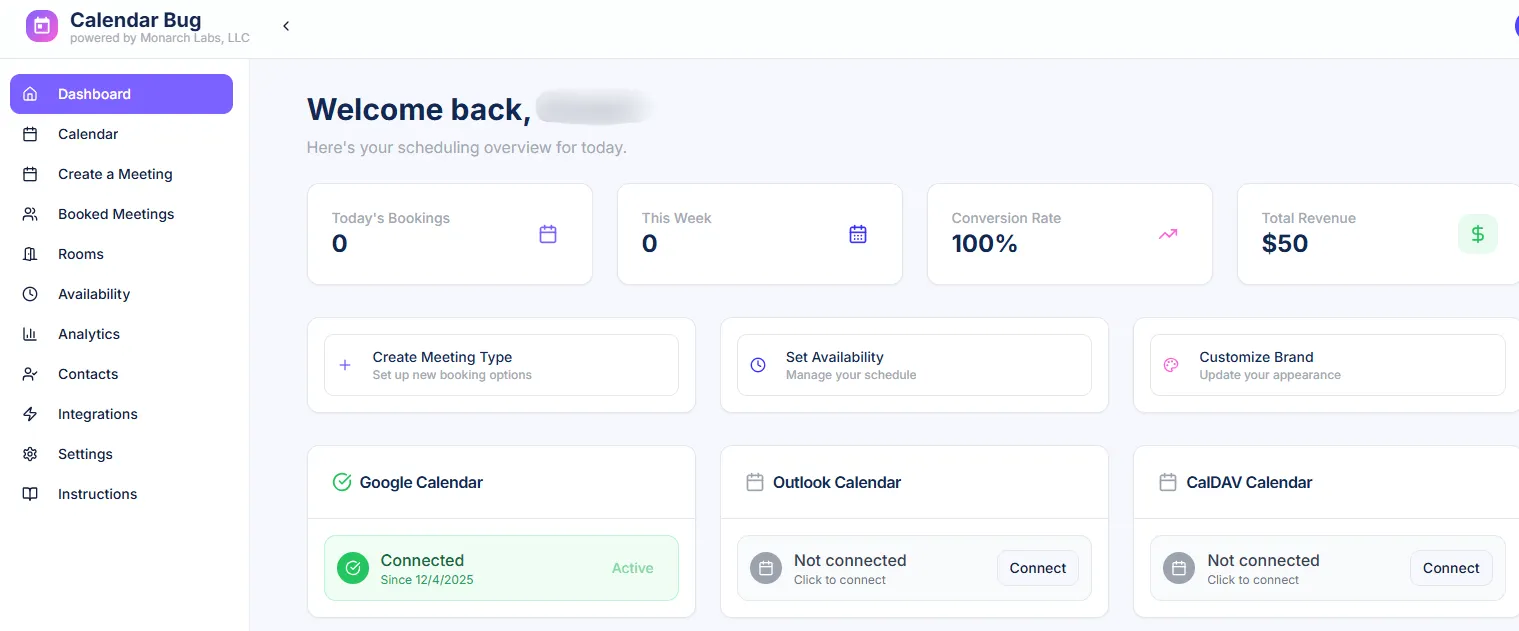
CalendarBug.com is a professional appointment scheduling platform that eliminates back-and-forth emails by letting prospects book time directly from your availability, with automatic calendar sync, reminders, payments, and native CRM integration to track the entire customer journey from booking to close. CalendarBug is part of the ScalePlus Suite of 33+ Tools from scale.gg
Read the full Scale.gg review here →
Core Philosophy: Friction-Free Scheduling
Most scheduling tools solve the "finding available time" problem but ignore everything else, branding, follow-up, payment collection, outcome tracking.
CalendarBug.com takes a different approach: handle the complete appointment lifecycle from initial booking through post-meeting follow-up, integrated with your CRM and business operations.
The result: prospects book meetings in 60 seconds, you get automatic reminders and prep information, meetings sync to CRM, outcomes are tracked, all without manual work.
How It Works: The 60-Second Booking
Scheduling with CalendarBug.com is beautifully simple:
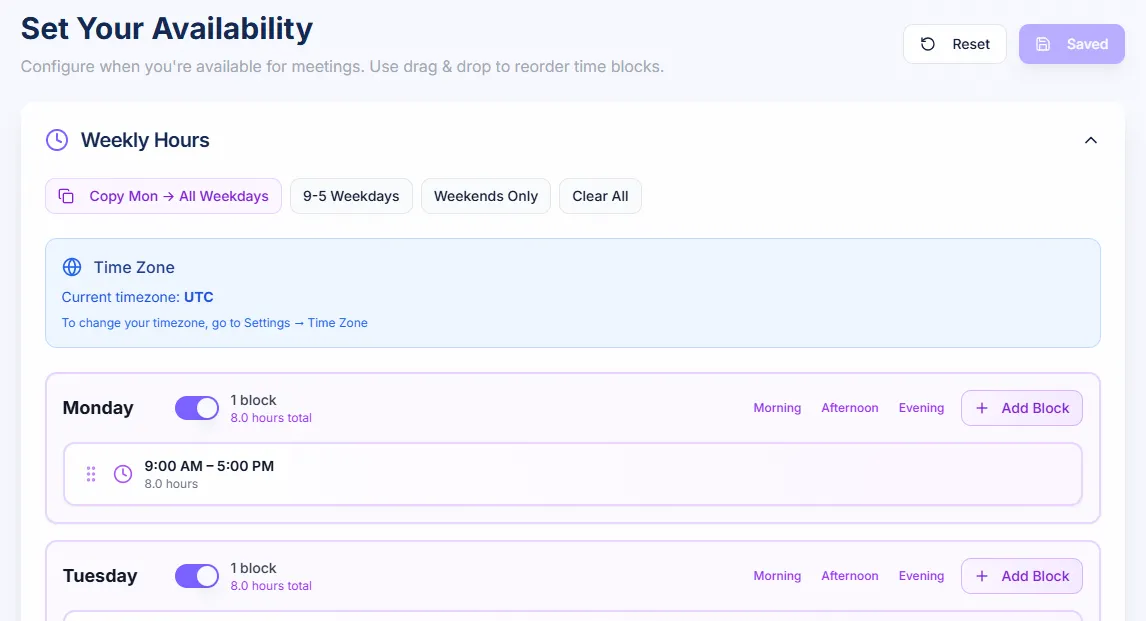
- Set Availability: Define your available hours, buffer times, meeting durations
- Connect Calendar: Sync with Google Calendar, Outlook, or Apple Calendar
- Create Booking Page: Customize with your branding, intake questions, meeting details
- Share Link: Send booking link to prospects via email, website, or social media
- Automatic Everything: Prospect books, calendar updates, confirmations send, reminders trigger, CRM records
What used to take 7-12 emails and 3-5 days now takes 60 seconds and happens instantly. You're trading coordination time for productive time.
Access CalendarBug.com in ScalePlus
Core Features: What CalendarBug.com Does
Customizable Booking Pages
Your scheduling page represents your brand. CalendarBug.com lets you create professional booking experiences:
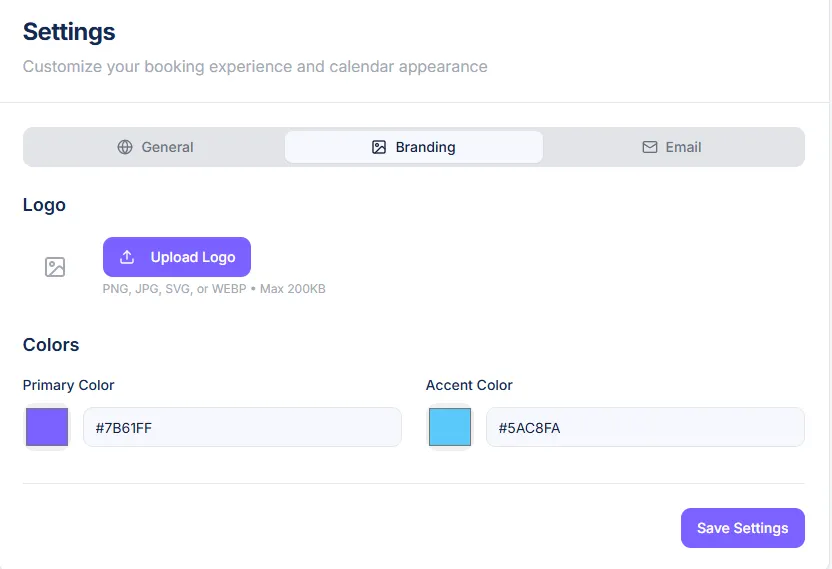
Brand Customization: Add your logo, set brand colors, customize fonts, match your website aesthetic.
Multiple Event Types: Create different booking pages for discovery calls, consultations, demos, coaching sessions, each with unique durations and questions.
Custom URLs: Use branded links like yourname.com/schedule instead of generic scheduling URLs.
Description Text: Explain what the meeting covers, what to prepare, how to join, set expectations clearly.
Intake Questions: Collect information before meetings, name, company, project scope, budget, challenges, so you're prepared.
Professional booking pages increase booking conversion rates by 20-30% compared to generic scheduling links.
Intelligent Calendar Synchronization
Prevent double-bookings and scheduling conflicts with smart calendar sync:
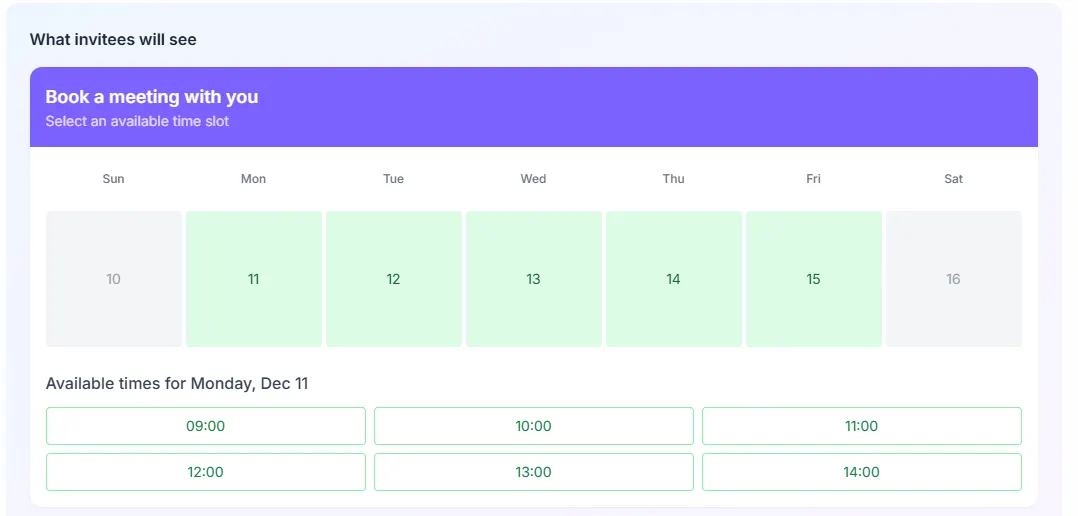
- Two-Way Sync: CalendarBug reads your calendar for availability and writes bookings back automatically
- Multiple Calendar Support: Connect Google Calendar, Outlook, Office 365, Apple Calendar, check all before showing availability
- Buffer Times: Add buffer before/after meetings for prep, breaks, or travel time
- Minimum Notice: Prevent last-minute bookings by requiring advance notice (e.g., 24 hours)
- Date Range Limits: Control how far in advance people can book (e.g., only show next 30 days)
- Conflict Detection: Automatically hide time slots when you have existing commitments
Smart sync ensures you never experience the embarrassment of double-booking or scheduling over existing appointments.
Time Zone Intelligence
Working with global clients? Time zone confusion kills meetings. CalendarBug.com handles this automatically:
Automatic Detection: Detects prospect's time zone from their browser and displays times accordingly.
Manual Override: Prospects can change time zone if booking for someone else or traveling.
Clear Display: Shows time in both parties' time zones to eliminate confusion: "2:00 PM EST (11:00 AM PST)".
Confirmation Clarity: Confirmation emails show meeting time in prospect's time zone with clear indicators.
Time zone intelligence prevents the #1 international scheduling mistake, showing up at wrong time because of timezone confusion.
Automated Reminders and Confirmations
Reduce no-shows with automated communications:
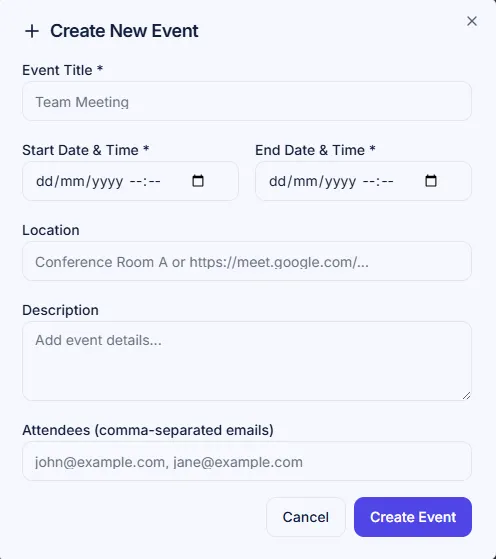
- Instant Confirmation: Immediate confirmation email upon booking with calendar invite attachment
- Pre-Meeting Reminders: Automated reminders at 24 hours, 1 hour, or custom intervals before meeting
- Custom Messaging: Personalize reminder content, prep instructions, documents to review, questions to prepare
- SMS Reminders: Optional text message reminders for critical meetings
- Rescheduling Links: Include easy rescheduling option if prospect needs to change time
- Follow-Up Automation: Trigger post-meeting emails or sequences automatically
Automated reminders reduce no-show rates from 20-30% to 5-10%, significantly improving meeting completion.
Payment Collection at Booking
For paid consultations, coaching sessions, or consultations, collect payment upfront:
- Payment Required: Require payment before booking is confirmed—eliminates no-shows
- Multiple Payment Methods: Credit cards, debit cards, digital wallets
- Custom Pricing: Set different prices for different event types or durations
- Deposit Options: Collect deposits for longer engagements, full payment due later
- Automated Invoicing: Integration with Invoicer.gg for automatic invoice generation
Payment-required booking reduces no-shows to near-zero while ensuring you're compensated for your time.
Monetize appointments with CalendarBug
Group Scheduling and Round Robin
Beyond one-on-one meetings:
Group Events: Host webinars, workshops, group coaching with capacity limits (e.g., 10 attendees max).
Round Robin Distribution: For teams, distribute bookings evenly across members, sales calls rotate among reps.
Collective Availability: Show times when specific team members are available (e.g., "Book with John or Sarah").
Resource Scheduling: Schedule shared resources like conference rooms, equipment, or service bays.
Team scheduling features eliminate coordination complexity when multiple people or resources are involved.
CRM Integration and Lead Tracking
CalendarBug.com's superpower is native integration with PipeLeads CRM:
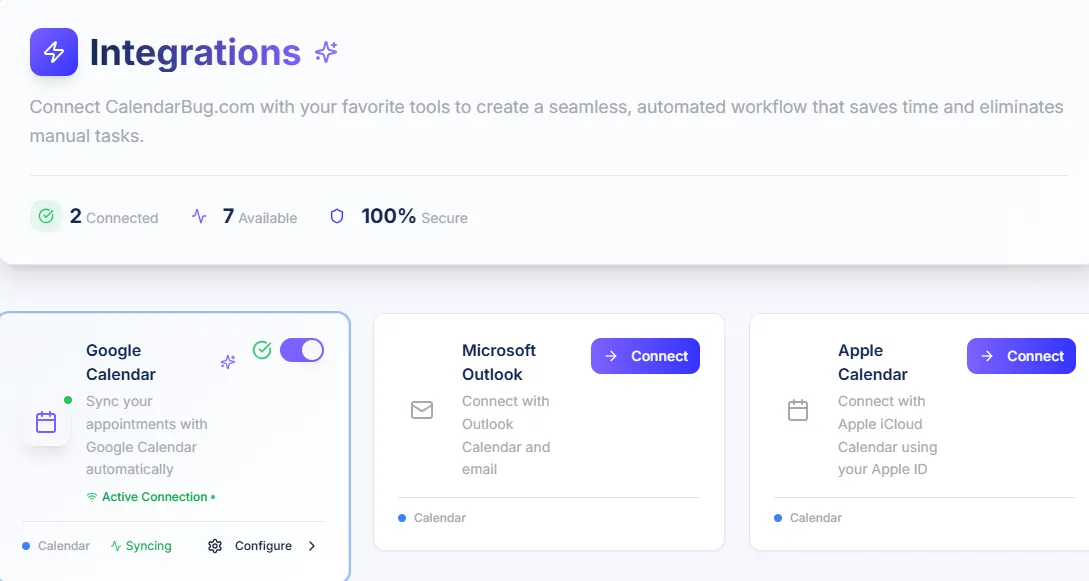
- Automatic Contact Creation: Every booking creates/updates CRM contact record automatically
- Meeting History: All scheduled, completed, and cancelled meetings logged in CRM timeline
- Pipeline Movement: Move prospects through pipeline stages based on meeting bookings
- Lead Source Tracking: Know where meeting bookings originated (website, email campaign, referral)
- Follow-Up Automation: Trigger email sequences or tasks based on meeting completion
- ROI Tracking: Calculate which booking types and sources generate most revenue
This integration transforms scheduling from isolated tool into comprehensive lead management system.
Real-World Results
Michael, Business Coach: "Before CalendarBug.com, I spent 8-10 hours monthly on scheduling emails, back and forth finding times, sending Zoom links, manually adding to calendar. That's $400-500 in lost billable time. Now prospects book directly from my website. My booking rate increased from 40% (many gave up during email coordination) to 67% (one-click booking). I'm closing 30% more discovery calls monthly just by removing scheduling friction. The time I save pays for ScalePlus, and the increased bookings generate $3,000-4,000 additional monthly revenue."
Sales Team Lead: "Our 5-person sales team was each spending 6-8 hours monthly coordinating meetings. That's 30-40 hours team-wide, $1,500-2,000 in productivity cost. CalendarBug.com with round-robin distribution eliminated this completely. Leads book directly from our website, system assigns to available rep, meeting syncs to calendar automatically. We're booking 40% more discovery calls with same team size because reps spend time selling instead of scheduling."
CalendarBug.com vs. Calendly ($12-20/month = $144-240/year)
Features: Calendly is the scheduling gold standard—robust, reliable, widely used. Offers similar features to CalendarBug.com.
Cost: Calendly Professional: $144-240/year per user. Teams expensive. CalendarBug.com included in ScalePlus: $994-1,196/year total for everything.
Integration: Calendly integrates with many CRMs via Zapier (extra cost). CalendarBug.com natively integrated with PipeLeads CRM.
Verdict: Calendly better for those needing only scheduling and using external CRMs. CalendarBug.com better for integrated business platform users.
CalendarBug.com
vs. Acuity Scheduling ($16-61/month = $192-732/year)
Focus: Acuity targets service businesses (salons, spas, healthcare) with class scheduling and resource management.
Verdict: Acuity better for appointment-based service businesses. CalendarBug.com better for consultants, coaches, sales teams.
CalendarBug.com
vs. Google Calendar Appointment Slots (Free)
Limitations: Google's solution is basic, no branding, no custom questions, no payment collection, no reminders, no CRM integration.
Verdict: Google Calendar free option works for casual use. CalendarBug.com necessary for professional operations.
Calculating Your ROI
Current Scheduling Costs
- Time on coordination: 8-12 hours monthly × $50/hour = $400-600/month = $4,800-7,200/year
- Lost bookings: 40% abandon due to friction × 50 leads monthly × 25% close rate × $1,000 average = $5,000/month lost = $60,000/year
- Calendly Professional: $144-240/year per user
With CalendarBug.com
- Cost: $994-1,196/year (includes CRM, email, 15+ tools)
- Time saved: 8-12 hours monthly = $4,800-7,200/year recovered
- Booking rate improvement: 40% → 67% = 68% increase = $40,800/year additional revenue
- Total impact: $45,600-48,000 annually
If CalendarBug.com improves booking rate by just 10% (conservative), that's $6,000-12,000 additional annual revenue for most consultants and coaches—6-12x ROI on ScalePlus subscription.
Who Should Use CalendarBug.com?
Perfect For:
Consultants and Coaches: Book discovery calls, coaching sessions, consultations without email back-and-forth.
Sales Teams: Streamline demo bookings, discovery calls, product consultations with round-robin distribution.
Service Providers: Agencies, freelancers, professionals offering client consultations or project kickoffs.
Course Creators: Offer one-on-one strategy sessions, group Q&As, personalized coaching as premium offerings.
Less Ideal For:
- Appointment-Based Service Businesses: Salons, spas, healthcare practices may need specialized scheduling (Acuity, Square Appointments)
- Casual Users: If you only schedule 1-2 meetings monthly, free Google Calendar slots may suffice
- Enterprise Teams: Very large organizations may need enterprise scheduling platforms with advanced compliance features
Limitations to Consider
- Newer Platform: Less established than Calendly (founded 2013)
- Limited Third-Party Integrations: Best within ScalePlus ecosystem; fewer external integrations
- Feature Set Growing: Some advanced features available in mature platforms may still be developing
- Requires ScalePlus: Not available as standalone product
Final Verdict: Is CalendarBug.com Worth It?
CalendarBug.com eliminates scheduling friction, increases booking rates, and integrates appointment management directly into your CRM and business operations, delivering professional scheduling at a fraction of standalone tool costs.
Rating: 4/5 Stars
Strengths:
- ✅ Eliminates 7-12 emails per meeting scheduled
- ✅ Increases booking rates by 20-30%
- ✅ Saves 8-12 hours monthly ($4,800-7,200/year)
- ✅ Native CRM integration for complete lead tracking
- ✅ Professional branding and customization
- ✅ Payment collection at booking
- ✅ Included with complete business platform
Weaknesses:
- ⚠️ Newer platform (less established than Calendly)
- ⚠️ Limited third-party integrations
- ⚠️ Some advanced features still developing
- ⚠️ Requires ScalePlus subscription
Recommended for: Consultants, coaches, sales teams, service providers, and course creators who schedule 10+ meetings monthly and want to eliminate coordination friction while integrating scheduling with CRM and business operations.
Bottom line: If you're spending 8+ hours monthly on scheduling coordination, losing 30-40% of potential bookings to friction, or paying $144-240/year for Calendly, CalendarBug.com could save 8-12 hours monthly while increasing booking rates 20-30% generating $6,000-48,000 additional annual revenue depending on your average client value.
Eliminate scheduling friction with CalendarBug →
Pricing
CalendarBug.com is included in ScalePlus, not sold separately.
ScalePlus Pricing:
- Quarterly: $299 every 3 months ($1,196/year)
- Semi-Annual: $497 every 6 months ($994/year)
Includes CalendarBug.com plus complete business platform with 33+ tools including CRM, email marketing, invoicing, and more.
Value comparison:
- Calendly Professional: $144-240/year
- Acuity Scheduling: $192-732/year
- Time spent scheduling: $4,800-7,200/year
You're getting professional scheduling plus complete business platform for less than cost of standalone scheduling tool + time waste.
Conclusion: Meetings That Actually Happen
CalendarBug.com solves the fundamental scheduling challenge: making it effortless for prospects to book time with you, eliminating the friction that kills 40% of potential meetings.
Every minute spent on scheduling coordination is time not spent serving clients, closing deals, or growing your business. Every prospect who abandons booking due to scheduling complexity is revenue lost forever.
CalendarBug.com changes the equation: prospects book in 60 seconds, you get automatic reminders and CRM tracking, no-shows decrease, and you recover 8-12 hours monthly for productive work.
If scheduling friction costs you time or revenue, CalendarBug.com deserves serious consideration.
Your prospects want to meet. Make it easy for them.
* * *
Disclaimer: This review is based on available information about CalendarBug.com and ScalePlus. Platform features, pricing, and capabilities may evolve. Verify current details at Scale.gg before purchasing. This review may contain affiliate links, meaning we may earn a commission if you subscribe through our links at no additional cost to you.